Profiles,
by people
who listen.
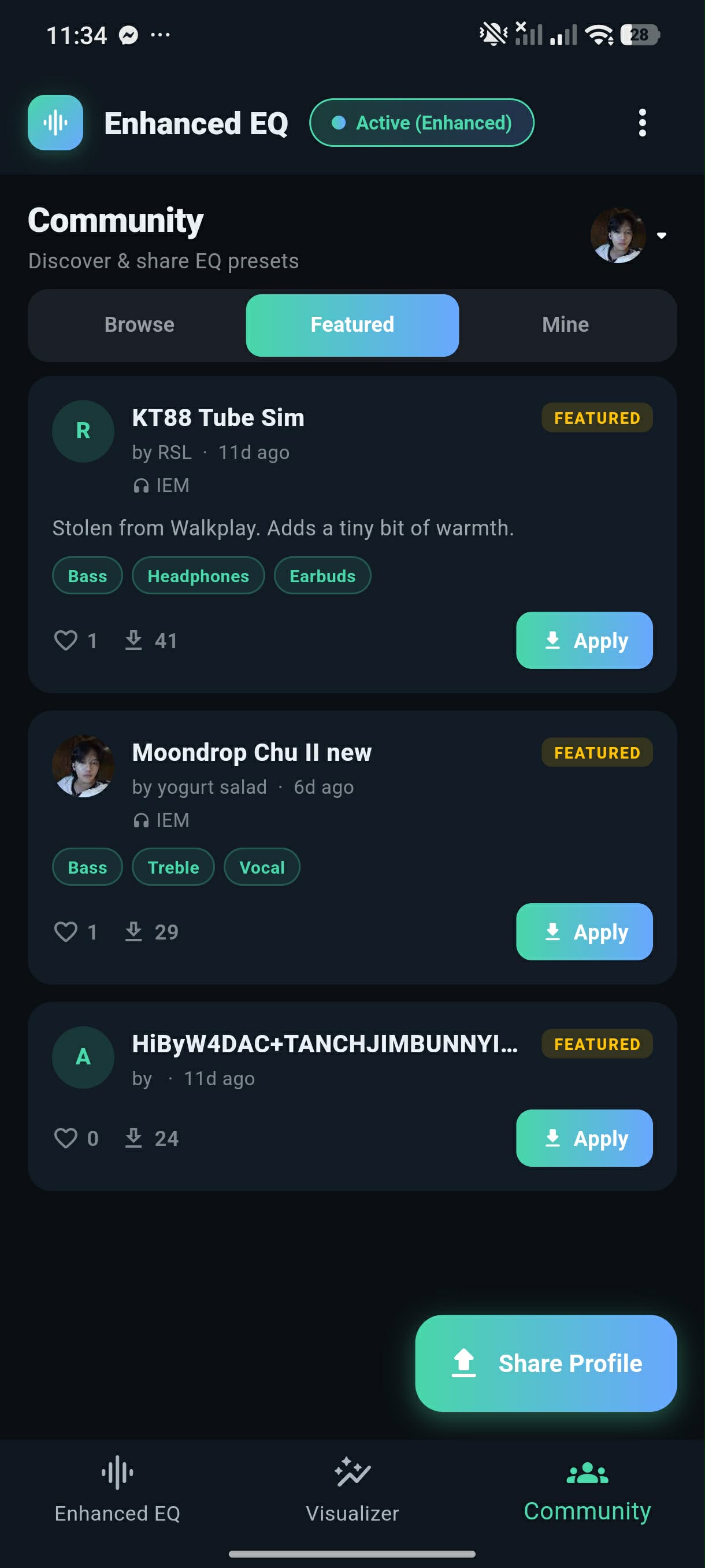
Browse EQ profiles tuned by other Enhanced EQ users for specific headphones, earbuds, and IEMs. Apply in one tap. When you find a sound you love, share it back.
The Community lives inside the app. Install Enhanced EQ to browse, download, and publish profiles.
Find the right
sound, faster.
Every profile is tagged with the headphones it was tuned for, an audio device category, and genre tags. Filter by device, filter by tag, sort by what's hot, or search for a specific model.
- Three sort modes Top (most downloaded), New, and personal favorites.
- Tag filter with 14 categories Bass, Treble, Vocal, Flat, Gaming, Movies, Music, Podcast, Classical, Rock, EDM, Hip-Hop, Sleep, Studio — plus any custom tag the author added.
- Search any model Find profiles tuned for your exact headphones by typing the model name.
- Heart what you love Your favorites sync across devices via your Google account.
- Apply in one tap Every band, bass boost, and advanced processor setting loads into your active EQ instantly.
Every profile,
organized.
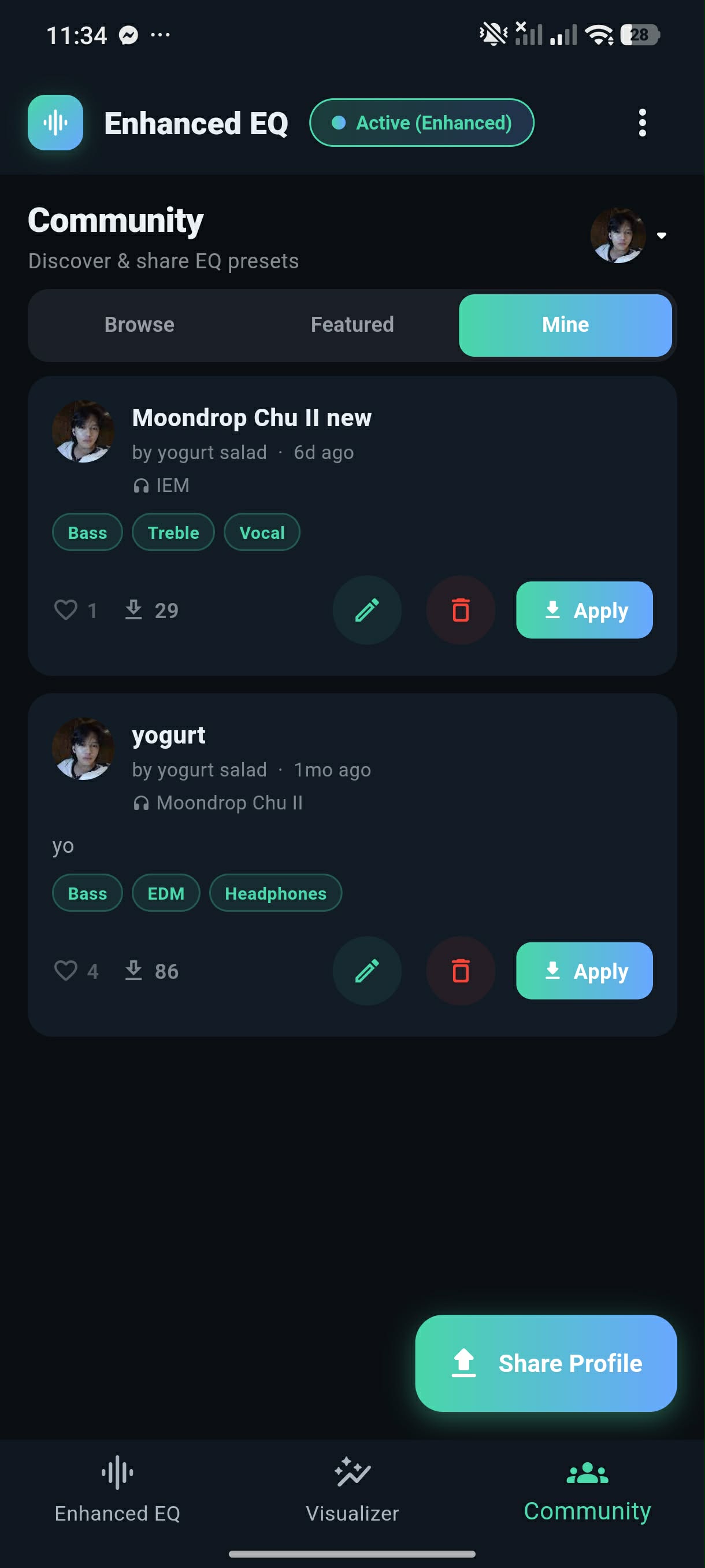
The Community tab has three sections. Here's what's in each.
Share what
you tuned.
Dial in a sound you love, then hit Share Profile. Fill in a name, optional description, and the gear you tuned it on — the app saves a full snapshot of every band, advanced processor, and enhancement setting.
- Name & description Tell people what the profile is for. "Bass-heavy for commutes," "Flat reference for mixing," "KT88 tube-amp sim."
- Audio device Pick one: Headphones, Earbuds, TWS, IEM, Speakers, Bluetooth Speaker, or Other. Helps others find it.
- Tag with genres & qualities Up to 14 built-in tags. Add your own custom tags for specific models.
- Your byline & avatar Your Google display name and photo appear on every profile you share. No separate signup.
- Edit or retract anytime Hit the pencil to update name/tags, trash to pull a profile from the community.
Your published
profiles, in one place.
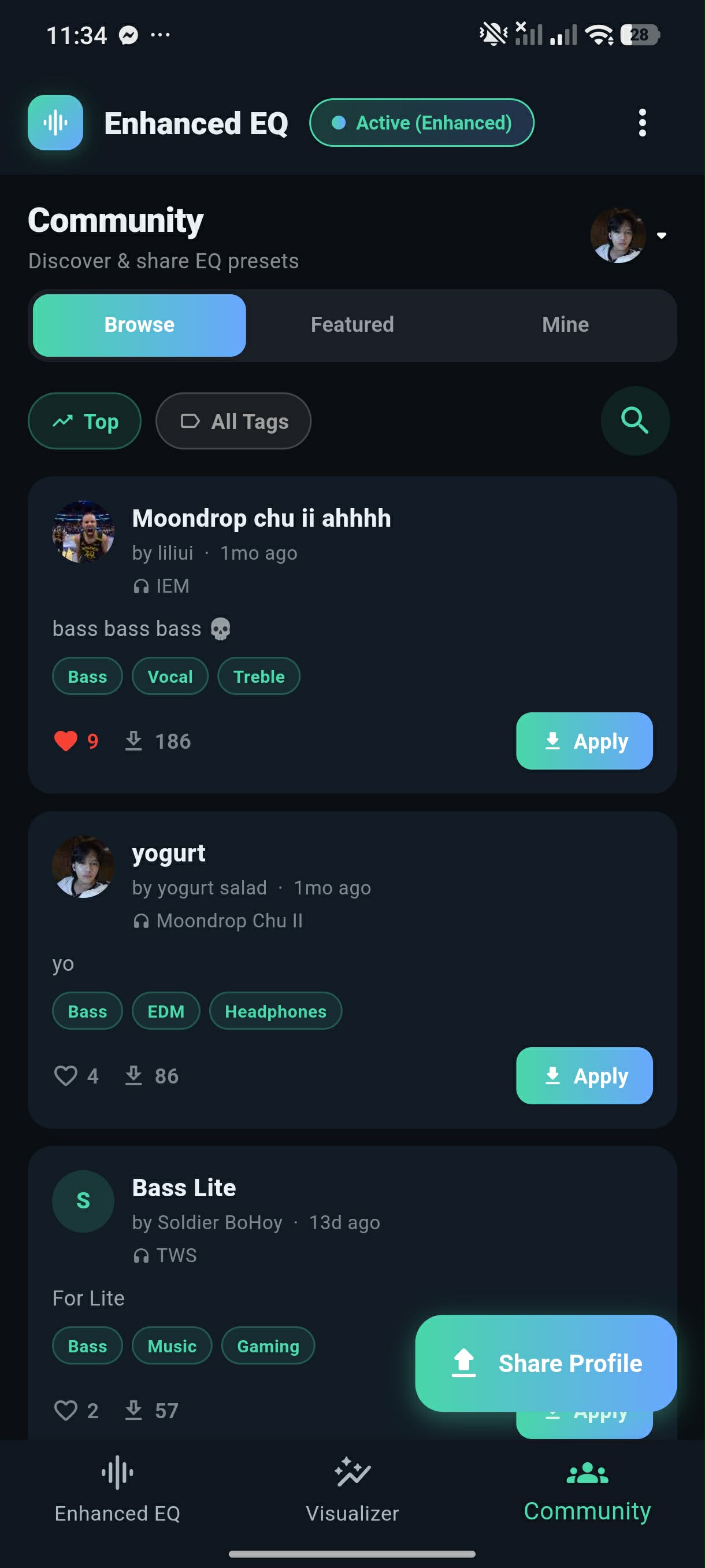
The Mine tab lists everything you've shared. See downloads and hearts at a glance, edit metadata, pull a profile, or apply your own with one tap — handy when you've moved on to something else and want to come back.
- Live download count See how many people have applied your profile.
- Heart counter Know which tunings are resonating.
- Edit in-place Update the name, description, device, or tags without re-uploading.
- Retract Pull any profile from the community at any time.
How to share
your first profile.
Hear it for real.
Free forever. Pro from $1.99/mo, $9.99/yr, or $14.99 lifetime. Your ears deserve this.